
What you can deliver from a Gaussian splat
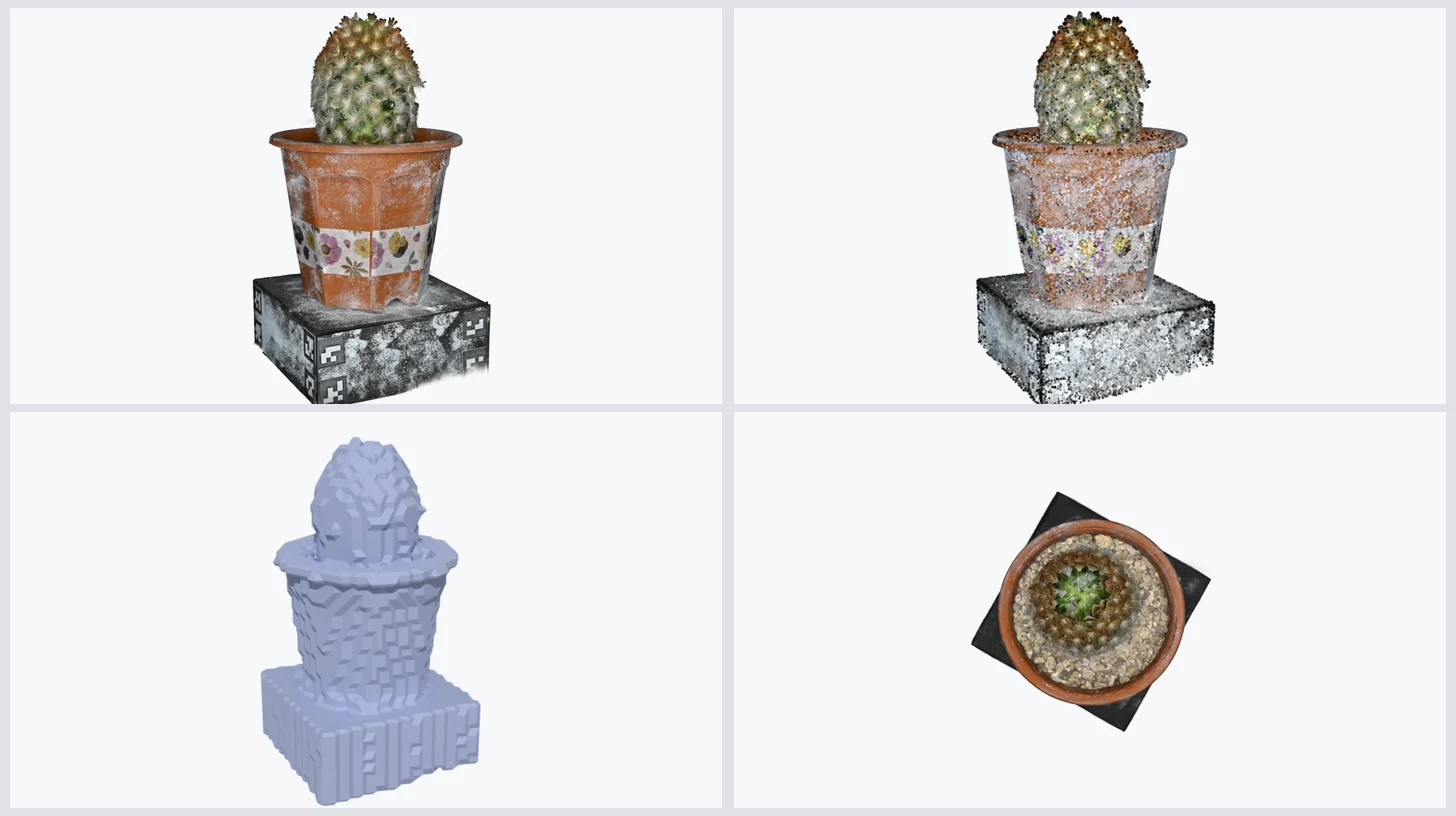
A Gaussian splat is rarely the end of the story. A client who commissions a capture wants to put it on a website, but also in a social video, a catalogue, a headset, an engine, sometimes on a map. The good news: one capture can feed all of that. The less good news: each deliverable keeps something of the splat and loses something else.
To show it rather than tell it, we took a single scene — the potted cactus from the first article in this series, 139,410 Gaussians, published by Steam Studio under CC0 — and made seven deliverables from it, with free tools, then weighed each file.
One capture, seven deliverables
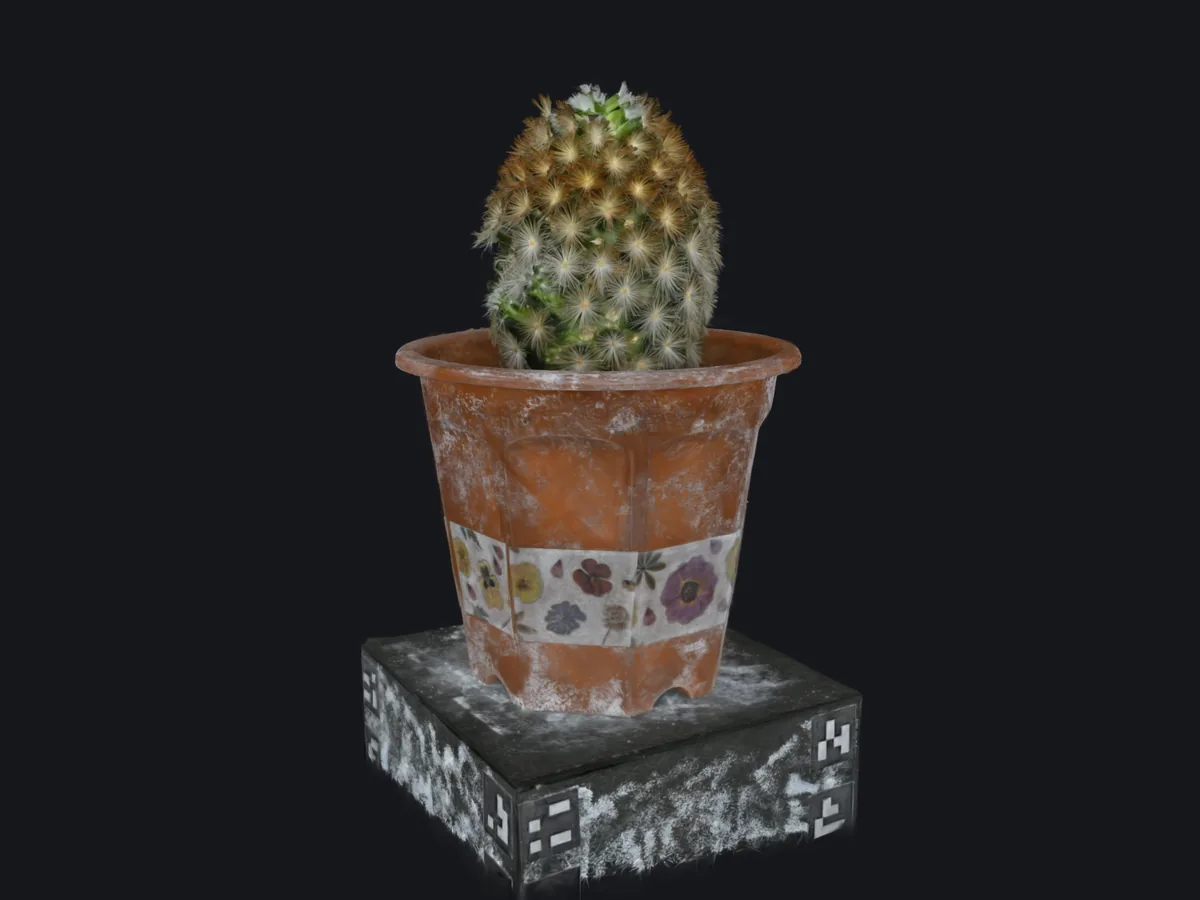
Interactive viewer
- Format
- A compressed splat (SOG, SPZ) in a web viewer, or a single self-contained HTML file
- Measured size
- 4.4 MB in SOG · 8.9 MB as a single HTML file with its viewer
- Made with
- SuperSplat, SplatTransform, Postshot, PlayCanvas, Spark (three.js)
- Best for
- Websites, product pages, sales, anything opened from a link or a QR code
- Watch out
- The visitor’s device sets the budget: plan the number of splats for phones
Video
- Format
- MP4 (H.264), WebM; horizontal, vertical 9:16 or 360°
- Measured size
- 856 kB for 6 seconds at 960 × 720
- Made with
- SuperSplat (timeline and video export), Postshot with After Effects, Unreal Engine, SplatTransform
- Best for
- Social media, advertising, presentations — everywhere interactivity is not possible
- Watch out
- Keep the camera path near the captured viewpoints, or the image goes soft
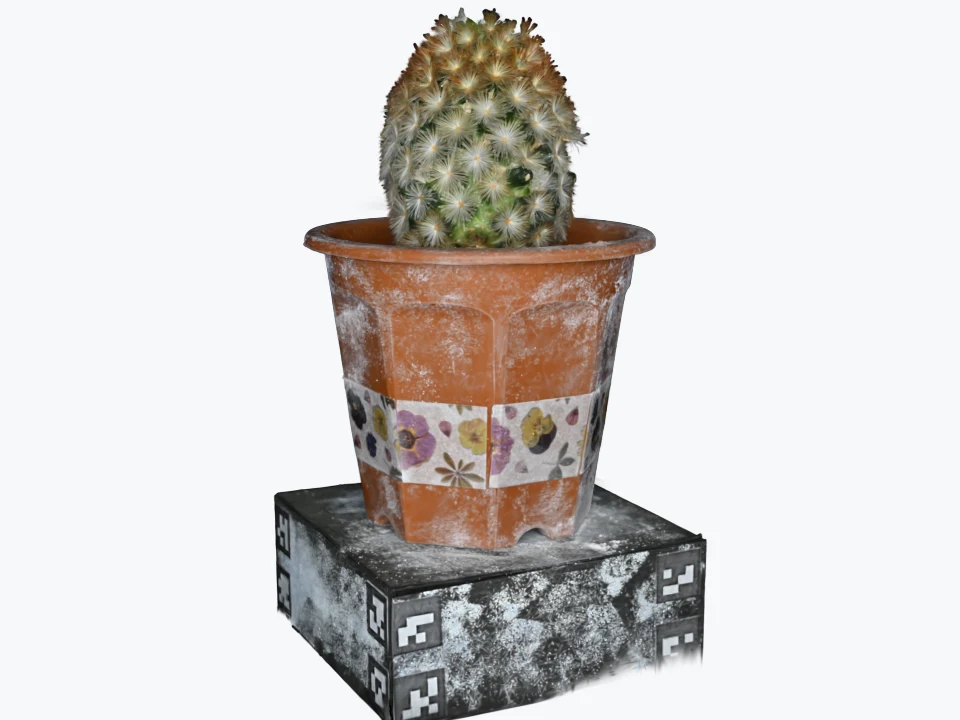
Still image
- Format
- PNG, JPEG or WebP, transparent background possible
- Measured size
- 57 kB as WebP, 960 × 720
- Made with
- SuperSplat (up to 4K and custom sizes), SplatTransform (with depth of field)
- Best for
- Product sheets, catalogues, print, every viewpoint without a new photo shoot
- Watch out
- The detail is that of the capture: resolution can be raised, sharpness cannot
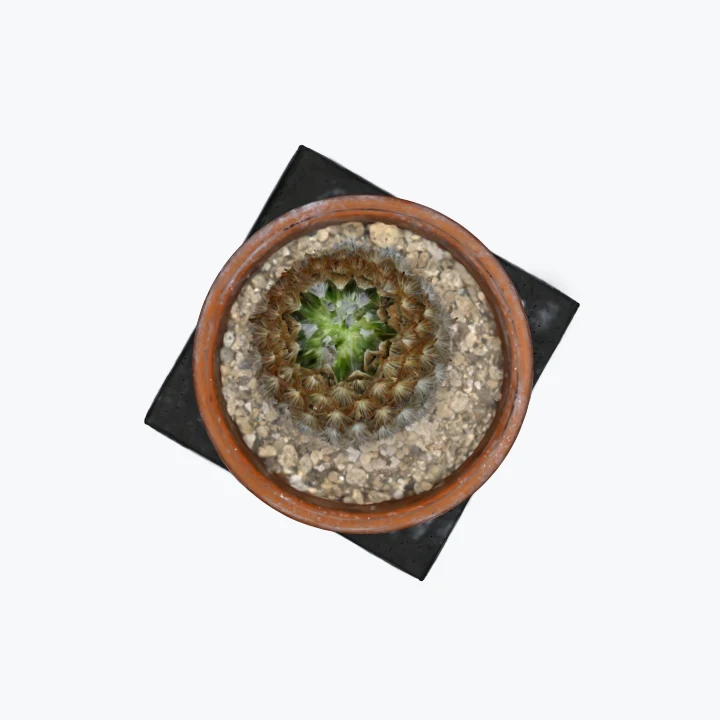
Top view
- Format
- An image seen from above, close to an orthophoto; GeoTIFF for sites
- Measured size
- 57 kB as WebP, 720 × 720
- Made with
- Any renderer with a very long lens; DJI Terra generates the orthophoto of a site automatically
- Best for
- Plans, layouts, site maps, surfaces seen from above
- Watch out
- A true orthophoto is georeferenced and parallel: here, a long lens comes close
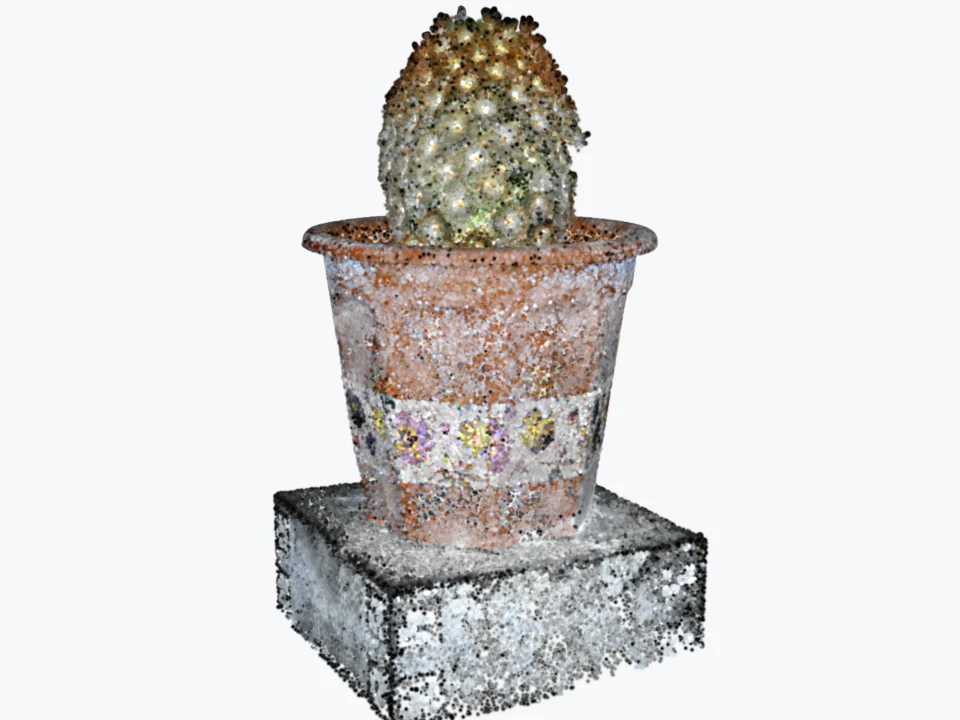
Point cloud
- Format
- PLY or CSV of points with colour; LAS or E57 through survey tools
- Measured size
- 2.1 MB as a coloured PLY of 139,410 points
- Made with
- SplatTransform, PIX4Dmatic (splat and dense cloud together), scanner software
- Best for
- Context for CAD, BIM and survey software, which read points, not splats
- Watch out
- A Gaussian’s centre is not a point on the surface: for survey work, deliver the scanner’s cloud
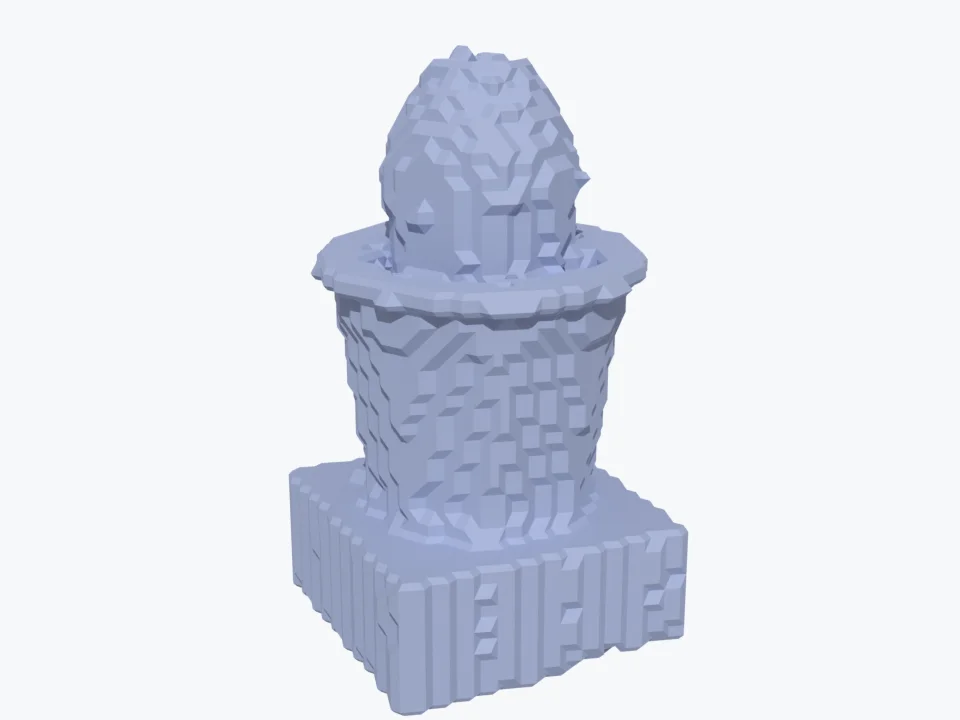
Collision mesh
- Format
- GLB mesh, plus a voxel grid
- Measured size
- 109 kB as GLB · 5.8 kB as a voxel grid
- Made with
- SplatTransform; SuperSplat Studio for walkable scenes; KIRI Engine for detailed meshes
- Best for
- Physics, navigation, occlusion: letting a visitor walk or an object collide in a scene
- Watch out
- This is a coarse shell, not a display mesh; detailed meshes need other tools — and licences
{
  "extensionsUsed": ["KHR_gaussian_splatting"],
  "meshes": [{ "primitives": [{
    "mode": 0,
    "attributes": {
      "POSITION": 0, "COLOR_0": 1,
      "KHR_gaussian_splatting:ROTATION": 2,
      "KHR_gaussian_splatting:SCALE": 3,
      "KHR_gaussian_splatting:OPACITY": 4,
      "KHR_gaussian_splatting:SH_DEGREE_0_COEF_0": 5,
      "…": "15 more SH coefficients"
    },
    "extensions": { "KHR_gaussian_splatting": {
      "kernel": "ellipse",
      "colorSpace": "srgb_rec709_display",
      "sortingMethod": "cameraDistance"
    } }
  }] }]
}
glTF file
- Format
- GLB with the KHR_gaussian_splatting extension, the new standard
- Measured size
- 33 MB with full colour detail, uncompressed
- Made with
- SplatTransform, Cesium, and a growing list of engines and 3D software
- Best for
- Exchange between tools, archives, geospatial pipelines
- Watch out
- Import support is still being added: check the target software before choosing it
Seven deliverables made from the same Gaussian splat of a potted cactus — an interactive viewer, a turntable video, a still, a top view, a point cloud, a collision mesh and a glTF file — each with its format, its measured size, the tools that make it, what it is best for and its limits.
Everything above comes from the same PLY file, rendered and converted with PlayCanvas’s SplatTransform (version 2.7.1), ffmpeg and Blender; the script is in our repository. The collision mesh is the tool’s coarse physics shell, not a display mesh.
To look at: viewer, video, stills, 360
The interactive viewer is the deliverable splats were made for: the visitor turns, zooms, moves around the subject in the browser. SuperSplat, PlayCanvas’s free editor, exports a self-contained HTML viewer or a compressed file for your own viewer, and publishes to superspl.at in SOG, streamed beyond a million Gaussians; Postshot now exports an HTML viewer too; World Labs’ Spark does the same for three.js.
The video is for everywhere interactivity is not possible. SuperSplat renders a camera path drawn on its timeline to MP4, MOV, WebM or MKV, up to 8K, with a portrait mode for 9:16 formats; Postshot sends its scenes to After Effects, and Unreal Engine renders them with its own cameras.
PlayCanvas announcing video rendering in SuperSplat, in March 2025: a camera path drawn on a timeline, rendered as video.
Video: PlayCanvas, on YouTube.Stills make every viewpoint available without a new photo shoot — a product seen from above, from below, at three-quarters — in PNG, JPEG or WebP, with a transparent background for e-commerce cut-outs. The limit is the capture: you can raise the resolution of the render, not the sharpness of what the photos recorded.
360° panoramas, finally, are rendered from inside a scene — a room, a shop, a site — as equirectangular images or videos, up to 8K in SuperSplat: they plug into existing virtual tour tools and YouTube 360.
What each deliverable weighs
- Raw PLY (archive) 33 MB
- glTF (.glb) 33 MB
- Single-file HTML viewer 8.9 MB
- SOG (web) 4.4 MB
- SPZ (web) 3.6 MB
- Point cloud 2.1 MB
- Video, 6 s 856 kB
- Collision mesh 109 kB
- Still image 57 kB
- Voxel grid 5.8 kB
File size, logarithmic scale — each step is ten times the one before
Horizontal bars on a logarithmic scale: the measured size of ten files made from the same cactus splat, from a 33 MB raw PLY to a 6 KB voxel grid.
Four orders of magnitude between the heaviest and the lightest file. The raw PLY and the glTF keep everything and are for archives and exchange; SOG and SPZ are for the web, seven to nine times lighter; a six-second video weighs less than a megabyte.
To build with: meshes, point clouds, glTF
A splat has no surface, and much software wants one. Meshes can be extracted from a splat, but beware the licences: nearly all the research code that does it well — 2DGS, SuGaR, Gaussian Opacity Fields, MILo, PGSR — is published for non-commercial use, because it builds on Inria’s original code. On the commercial side, KIRI Engine 4.2, in April 2026, improved its “3DGS to Mesh” conversion and added a tool to rescale the model before 3D printing. For a physical object, the photogrammetry mesh made from the same photos often remains more accurate.
KIRI Engine presenting version 4.2 in April 2026: a splat turned into a textured mesh, on the phone.
Video: KIRI Engine - 3D Scanner App, on YouTube.Point clouds are the language of CAD, BIM and survey software. The Gaussians’ centres make one — our cactus above — but a centre is not a point on the surface: for measurement, deliver the scanner’s or photogrammetry’s cloud, which PIX4Dmatic now produces in the same run as the splat.
The glTF file with the KHR_gaussian_splatting extension, ratified by the Khronos Group in 2026, is the new standard for exchanging splats between tools; its import is still arriving in 3D software — Blender 5.3, expected in November, reads PLY and SPZ splats but not yet glTF ones.
To measure and map
Measurements are possible — SuperSplat, KIRI Engine and XGRIDS’ viewer have measuring tools — but only as reliable as the scale of the capture, set by a scanner, RTK positioning or measured markers. Esri says it plainly: its splat layers “may contain minor artifacts” and cannot be used for geoprocessing.
For sites, splats become map layers: 3D Tiles with levels of detail in Cesium, Esri and DJI Terra, which since July 2026 also generates the orthophoto automatically from its splats. And the voxel grid or collision mesh — tiny files — let a visitor walk through a scene without going through walls.
To immerse: AR, VR, film
- AR on a phone. On Android, a web viewer with WebXR places the splat in the room, with no app. On iPhone, Safari has no web AR; since iOS 27, RealityKit displays splats natively — in an app, which provides the data itself — while AR Quick Look, according to Apple’s engineers, is not connected to them.
- VR headsets. The Quest’s browser opens WebXR viewers; Gracia plays static and animated splats on Quest, Pico and Vision Pro; MetalSplatter, free, and RealityKit do so on Vision Pro.
- Film and LED walls. Splats become backgrounds for virtual production: relit in Unreal with Volinga Plugin Pro, or displayed on LED volumes with Sony’s XYN plugin.
Sony presenting its XYN capture solution in April 2026: real places captured as splats, then displayed behind the actors on an LED wall.
Video: Sony l XYN, on YouTube.And splats now move: 4D captures, trained on video from many cameras, are played in Unreal by Volinga or streamed by Gracia — at bitrates of tens of megabits per second, in formats still proprietary.
Which one for which channel?
Which deliverable for which channel
Website
- A compressed splat in a web viewer (SOG or SPZ)The only deliverable that keeps the freedom to turn around the subject; opens from a link or a QR code.
- A still image as a posterShown until the scene has loaded, and indexed by search engines.
- A short videoFor pages or devices where 3D is not wanted.
Social media
- A vertical 9:16 videoSocial platforms do not play splats; a camera path rendered as video does the job.
- A link to the viewerIn the bio or the description, for those who want to explore.
Print & catalogue
- High-resolution stillsAny viewpoint, without a new photo shoot — within the detail of the capture.
- A QR code to the viewerThe printed page becomes the entry point to the 3D.
AR on a phone
- A web viewer with WebXRPlaces the splat in the room on Android phones, with no app.
- A native app with RealityKitOn iPhone, since iOS 27, splats are displayed natively in an app; Safari has no web AR, and AR Quick Look does not show splats.
VR headset
- A web viewer in WebXROpens in the Quest’s browser, with no install.
- A native appFor the best quality: Gracia on Quest and Vision Pro, MetalSplatter or RealityKit on Vision Pro.
Game engine
- A PLY or SPZ for the engine’s pluginUnreal (Postshot, Volinga), Unity: the splat as it is, rendered in real time.
- A collision meshFor physics, navigation and occlusion, which splats do not provide.
- A glTF fileAs engines add the standard extension, the most portable choice.
GIS & digital twin
- 3D Tiles with levels of detailThe format of Cesium, Esri and DJI Terra for splats of sites, placed on the map.
- An orthophotoThe site seen from above, georeferenced, for plans and GIS layers.
- The survey point cloudFor measurements, from the scanner or photogrammetry — not from the Gaussians.
Film & LED wall
- The splat in Unreal EngineAs a background for virtual production, relit with Volinga Plugin Pro.
- The renderer of the LED wallSony’s XYN plugin displays splats on LED volumes, through Unreal, Pixotope or Disguise.
3D printing
- A mesh extracted from the splatA printer needs a closed surface: KIRI Engine extracts one and rescales it.
- Or the photogrammetry meshFrom the same photos, often more accurate for a physical object.
Nine channels — website, social media, print, AR on a phone, VR headset, game engine, GIS, film and 3D printing — and for each, the deliverables to ask for, in order, with the reason.
A first answer for each channel; a real project often combines several — the viewer for the website, a vertical video to announce it, stills for the catalogue, all from the same capture.
At ARGO
Our default deliverable is the one this series keeps coming back to: a compressed splat, opened in the browser from a link or a QR code, with a poster image while it loads. Around it, we produce what each channel needs from the same capture — a short video for the launch, stills for the product sheets, a collision mesh when the visitor must walk through the scene — so that a client pays for one capture, not for five.
FAQ
Frequently asked questions
Sources and further reading
- PlayCanvas: SuperSplat import and export · SuperSplat rendering · What’s new in SuperSplat · SplatTransform
- Meshes and licences: Inria, Gaussian-Splatting License · 2DGS · MILo · KIRI Engine 4.2
- Points, maps, measurement: PIX4Dmatic · Esri, scene layers · DJI, DJI Terra, July 2026 · Cesium, 3D Gaussian splats with levels of detail
- Formats: Khronos, KHR_gaussian_splatting · AOUSD, OpenUSD v26.03
- AR, VR, film: Apple, GaussianSplatComponent (RealityKit) · MetalSplatter · UploadVR, Gracia streaming · Sony, XYN Spatial Renderer Plugin · Volinga Plugin Pro
- The scene used for every deliverable: Steam Studio, cactus sample data, CC0 — steam-studio.jp
Tools, formats and statuses checked on 30 September 2026; files made and measured on the same day.