
Where to build a Gaussian splatting experience: platforms and tools in 2026
The capture is done and the splat is trained: a PLY file of a few hundred megabytes sits on a hard drive. Now it has to be put in front of people, in a browser, in an app, in a headset, on a map, or in a film. In 2026 there are dozens of ways to do that, and the market is moving fast.
- Mergers. On 28 September, AMD announced it is buying World Labs, the company behind the Spark library.
- Closures. Niantic closed 8th Wall’s hosted platform in February and open-sourced part of it.
- Pivots. Luma AI has moved to generative video.
- Standards. The Khronos Group has ratified the glTF extension for splats.
Here are twenty platforms and tools, sorted by what they do, checked against their own documentation at the end of September 2026.
Which platform for which experience?
No single platform does all of that: combine two, for example a web viewer for the link and a native app for the headset.
-
SuperSplat · superspl.at Platform
PlayCanvas’s free editor and hosting: clean, crop, then publish a link or an embed. The viewer is open source and can be hosted on your own site.
- In a browser (link, QR code)
- In a headset
- Without code
- Open source
- Very large scenes
-
Teleport by Varjo Platform
Varjo’s capture and hosting service: share links and virtual tours, viewed on phones, computers and VR headsets.
- In a browser (link, QR code)
- In a headset
- Without code
- Very large scenes
-
Polycam · KIRI Engine · Scaniverse Platform
Capture apps that also host: scan with a phone, then share a web link or an embed.
- In a browser (link, QR code)
- Without code
-
StorySplat · 3DVista Platform
Virtual tours built on splats without code: waypoints, hotspots, embeds, VR.
- In a browser (link, QR code)
- In a headset
- Without code
-
Reflct · 3D Bits (Shopify) Platform
Product viewers for online stores, with a Shopify app.
- In a browser (link, QR code)
- Without code
-
Gracia Platform
Animated (4D) splats, played on Quest, Pico, PC VR, Vision Pro and the web.
- In a browser (link, QR code)
- In a headset
- Animation, 4D
-
PlayCanvas Web engine
The open-source web engine with the most complete splat support: streaming, WebGPU, relighting, collisions, WebXR.
- In a browser (link, QR code)
- AR on a phone
- In a headset
- Open source
- Very large scenes
-
Spark (three.js) Web engine
World Labs’ splat library for three.js: streaming of 100 million splats and more, effects, experimental WebXR.
- In a browser (link, QR code)
- AR on a phone
- In a headset
- Open source
- Very large scenes
- Animation, 4D
-
Babylon.js Web engine
Microsoft’s open-source web engine; its splat support was much extended in version 9, in March 2026.
- In a browser (link, QR code)
- Open source
- Very large scenes
- Animation, 4D
-
three.js Web engine
Native splats since release r186, in 2026, without streaming yet.
- In a browser (link, QR code)
- Open source
-
Needle Engine Web engine
A commercial web engine on three.js, with splats through Spark and budgets tuned for mobile AR (version 6, in alpha).
- In a browser (link, QR code)
- AR on a phone
- Very large scenes
-
Unity Game engine
No official support: aras-p’s open-source plugin (desktop, PC VR, maintenance only) or commercial plugins for Quest.
- In an app or a game
- In a headset
- Open source
-
Unreal Engine · Volinga · XScene Game engine
No official support: Volinga (commercial: relighting, 4D, LED volumes) or XScene (open source).
- In an app or a game
- In a film or video
- Open source
- Animation, 4D
-
Godot Game engine
An open-source add-on, with mobile and VR renderers and collisions.
- In an app or a game
- In a headset
- Open source
-
RealityKit · MetalSplatter XR SDK
Apple’s native splats in iOS, macOS and visionOS 27 apps; MetalSplatter is an open-source alternative.
- In an app or a game
- AR on a phone
- In a headset
- Open source
-
Meta Spatial SDK XR SDK
Native splats in Quest 3 and 3S apps: experimental, one splat per scene, at most 150,000 splats advised.
- In an app or a game
- In a headset
-
Snap Lens Studio XR SDK
Splats and animated splat sequences in Snapchat lenses.
- AR on a phone
- Animation, 4D
-
Cesium Geospatial
Streams splats as 3D Tiles on a globe, in the browser (CesiumJS) and in Unreal.
- On a map
- In a browser (link, QR code)
- In an app or a game
- Open source
- Very large scenes
-
Esri ArcGIS Geospatial
Gaussian splat layers in ArcGIS Pro and in the ArcGIS Maps SDK for JavaScript.
- On a map
- In a browser (link, QR code)
- Very large scenes
-
Houdini · Blender · Nuke · Octane 3D and VFX
Splats in VFX and 3D software: native in Houdini 22 and Nuke 17, imported by Blender 5.3, rendered by Octane.
- In a film or video
- Open source
- Animation, 4D
Twenty platforms and tools that publish Gaussian splats, in six families: hosted platforms, web engines, game engines, XR SDKs, geospatial platforms, and 3D and VFX software. Ticking where people will see the splat and what the project needs keeps only the platforms that do all of it.
Each capability comes from the tool’s official documentation; experimental support counts, and the description says so. When a card groups several tools, a capability means at least one of them has it. Click a name to open its official page.
Hosted platforms: publishing without code
The quickest way to share a splat is a platform that hosts it and gives you a link. SuperSplat, PlayCanvas’s free editor, cleans and crops the scene in the browser, then publishes it to superspl.at:
- Compression. Published scenes are compressed to SOG.
- Streaming. Beyond a million Gaussians, they stream progressively.
- Annotations. Since February 2026, SuperSplat Studio adds annotations, cameras and effects.
- Publishing API. Since August, a publishing API lets other tools publish there directly, starting with Teleport by Varjo and XGRIDS LCC Studio.
- Open viewer. Its viewer is open source (MIT): you can export it as a single HTML file and host it yourself.
PlayCanvas presenting SuperSplat in September 2026: a splat edited in the browser, then published and shared from a link.
Video: PlayCanvas, on YouTube.Around it, the offer is specialising:
- Capture and hosting. Teleport by Varjo handles capture, hosting and virtual tours, viewed on phones, computers and VR headsets.
- Capture apps. Polycam, KIRI Engine and Scaniverse share their captures as web links or embeds.
- Tours. StorySplat and 3DVista build tours with waypoints and hotspots.
- Online stores. Reflct and 3D Bits put splats on Shopify product pages.
- Animation. Gracia plays animated (4D) splats on headsets and the web.
These services have a weakness: they come and go. Vid2Scene has closed, 8th Wall’s hosting ended on 28 February, and Luma no longer offers 3D among its products. Two rules follow. Always keep the master file, the PLY or its compressed version. And for anything that must last, prefer a viewer you can host yourself.
Web engines: your own experience in the browser
To go beyond a link, with your brand, a custom interface, hotspots, a product configurator or a game, you need a web engine. There are five serious ones.
- PlayCanvas (MIT) has the most complete support:
- formats: PLY, SPZ and glTF, plus its own SOG and Streamed SOG, built for tens of millions of Gaussians;
- a WebGPU renderer since June, up to twice as fast on an iPhone;
- relighting, collisions and WebXR.
- Spark (MIT), World Labs’ three.js library:
- version 2.0 in April streams scenes of 100 million splats and more with its
.RADformat; - it mixes splats with meshes and adds effects, skeletal animation and experimental WebXR.
- Its future depends on AMD, although the licence stays MIT.
- version 2.0 in April streams scenes of 100 million splats and more with its
- Babylon.js (Apache-2.0), Microsoft’s engine, much extended its splats in version 9, in March, with shadows, animation and splats generated by code.
- three.js added native splats in August 2026, without streaming yet. The old GaussianSplats3D library is no longer developed and points to Spark.
- Needle Engine, commercial, builds on Spark and tunes its budgets for AR on phones (version 6, in alpha).
World Labs presenting Spark 2.0 in April 2026: worlds of more than 100 million splats streamed in a browser.
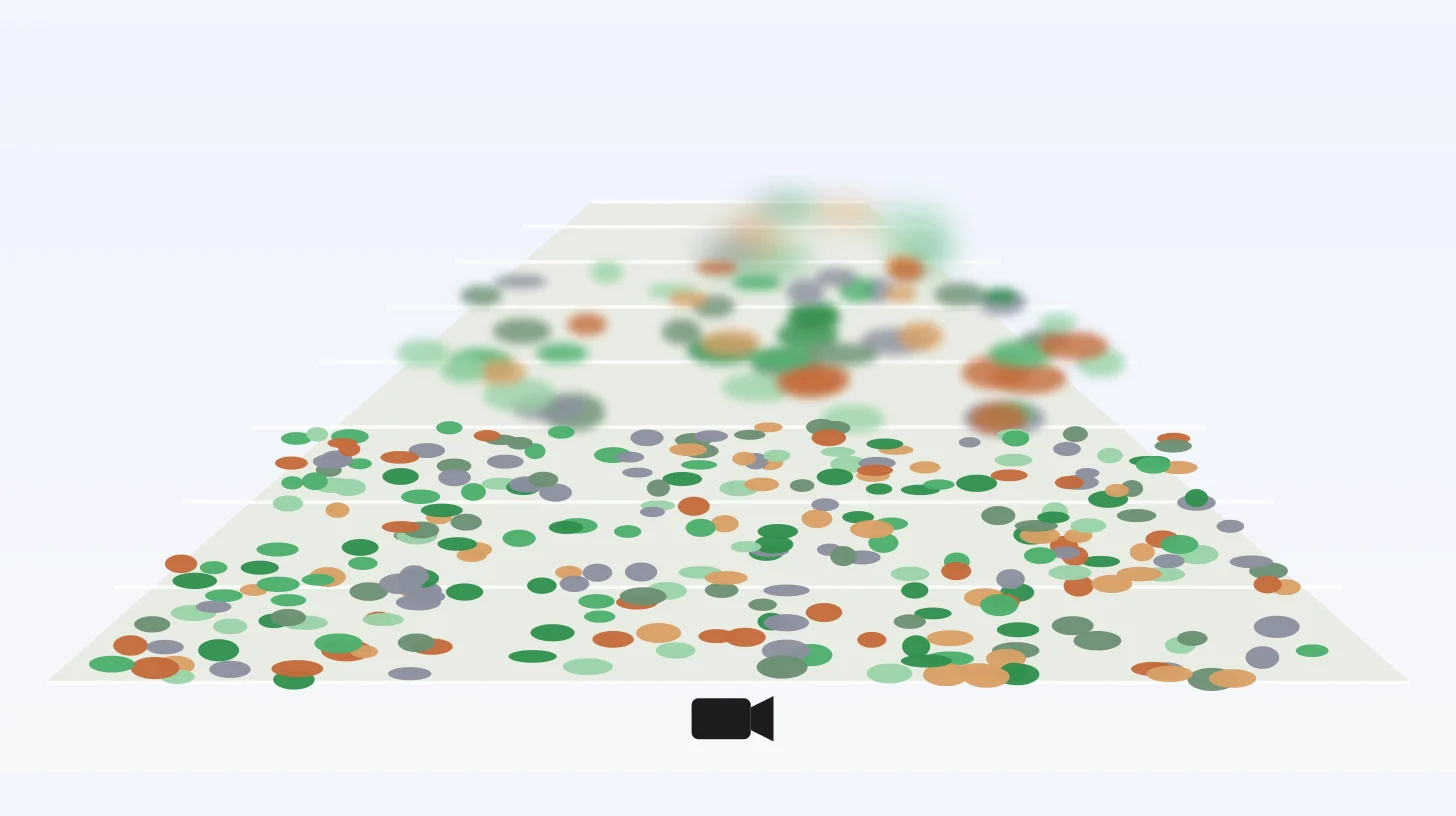
Video: World Labs, on YouTube.The feature that changed everything in 2026 is level-of-detail streaming. The viewer no longer loads the whole scene: it shows a coarse version first, then refines only what the camera sees up close, within a fixed number of splats.
How a viewer shows a scene too big for the device
- A coarse version of the whole scene arrives first: a few large splats, in a fraction of a second.
- Finer levels replace it near the camera, tile by tile.
- When the budget is spent, refinement stops: far away stays coarse, and the eye hardly notices.
An animated diagram of a landscape seen from a camera, cut into tiles. A coarse version of the whole scene appears first; finer levels then replace it near the camera, tile by tile, until the splat budget is spent; the far tiles stay coarse.
A simplified diagram of how PlayCanvas (Streamed SOG), Spark (.RAD) and Cesium (3D Tiles) work. The budget is set per device, and stays constant however big the scene is.
That budget depends on the device. The people who build the viewers publish their figures, and they vary by a factor of thirty between a Quest app and a desktop computer.
How many splats can each device take?
- Quest 3, native app 150K Needs streaming Meta, Spatial SDK: avoid more than 150,000 splats, one splat per scene.
- Quest 3, browser 1M Needs streaming Spark: 1 million or less; its level of detail defaults to 500,000 there.
- Vision Pro 750K Needs streaming Apple publishes no figure, only an internal limit; 750,000 is Spark’s default budget.
- Android phone 1M–2M Borderline Spark: 1 to 2 million. PlayCanvas: about 1 million on mobile.
- iPhone 1M–3M Borderline Spark: 1 to 3 million. PlayCanvas: about 1 million on mobile, at twice the frame rate with WebGPU.
- Computer 1M–5M Borderline Spark: 1 to 5 million, 10 to 20 million on some. PlayCanvas: 3 million and more.
For a scene from 100,000 to 100 million splats, set with a slider, the budget each device can show smoothly according to the people who build the viewers, and a verdict for each: it fits, it is borderline, or it needs streaming.
Sources: Meta, Spatial SDK; Spark, performance guide and level of detail; PlayCanvas, performance. Beyond these figures, a viewer with streaming shows the scene at the device’s budget.
Game engines and 3D software
Neither Unity nor Unreal Engine supports splats themselves. Unreal 5.8’s release notes don’t mention them, and nor do Unity 6’s. Everything goes through plugins:
- Unity: aras-p’s (MIT) for desktop and PC VR, which is now only maintained, or commercial plugins for Quest.
- Unreal: Volinga (commercial) adds relighting, LED volumes and, since July, animated 4D splats played in Sequencer. XScene is open source.
- Godot: an open-source add-on that also runs on mobile and in VR.
VFX software, on the other hand, has adopted splats:
- Houdini 22 trains, rigs, simulates and relights them.
- Nuke 17 composites them.
- Octane path-traces them.
- Blender 5.3, expected in November, imports and renders them but does not export them yet.
- OpenUSD has had its own splat schema since March. NVIDIA uses it in Omniverse to path-trace splats with shadows and reflections.
Headsets and native apps
Apple added native splats to RealityKit in iOS, macOS and visionOS 27, with its GaussianSplatComponent. There are three limits:
- The app reads the file itself: RealityKit takes raw data, not a PLY.
- The scene’s lighting does not affect the splats.
- An internal cap on the number of splats exists, and Apple does not publish its value.
MetalSplatter, open source, does the same on iPhone, Mac and Vision Pro.
Apple presenting RealityKit’s new features at WWDC in June 2026; the video starts at the chapter on Gaussian splats.
Video: Apple Developer, on YouTube.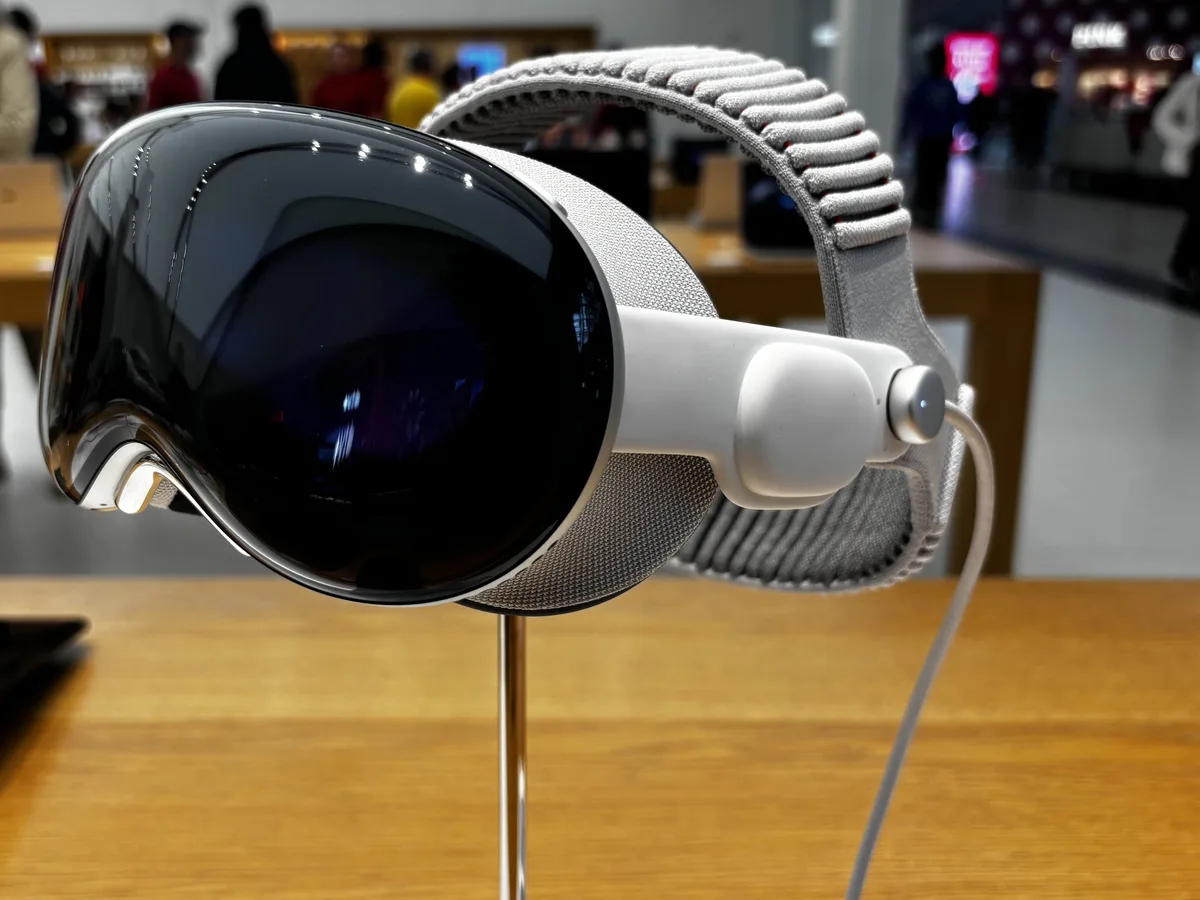
The Vision Pro: splats in native apps through RealityKit or MetalSplatter, and in the browser through WebXR viewers.
Image: AzureSaturn, CC0, via Wikimedia Commons (cropped, resized, converted to WebP).On Quest 3 and 3S, Meta’s Spatial SDK displays splats in native apps, still experimentally: one splat per scene, and no more than 150,000 splats. The browser often does better. WebXR viewers built on Spark, PlayCanvas or Arrival.Space show scenes of about a million splats. Android XR has no splat API yet, so the web is the route there too. And on phones, Snap’s Lens Studio puts splats, even animated ones, into Snapchat lenses.
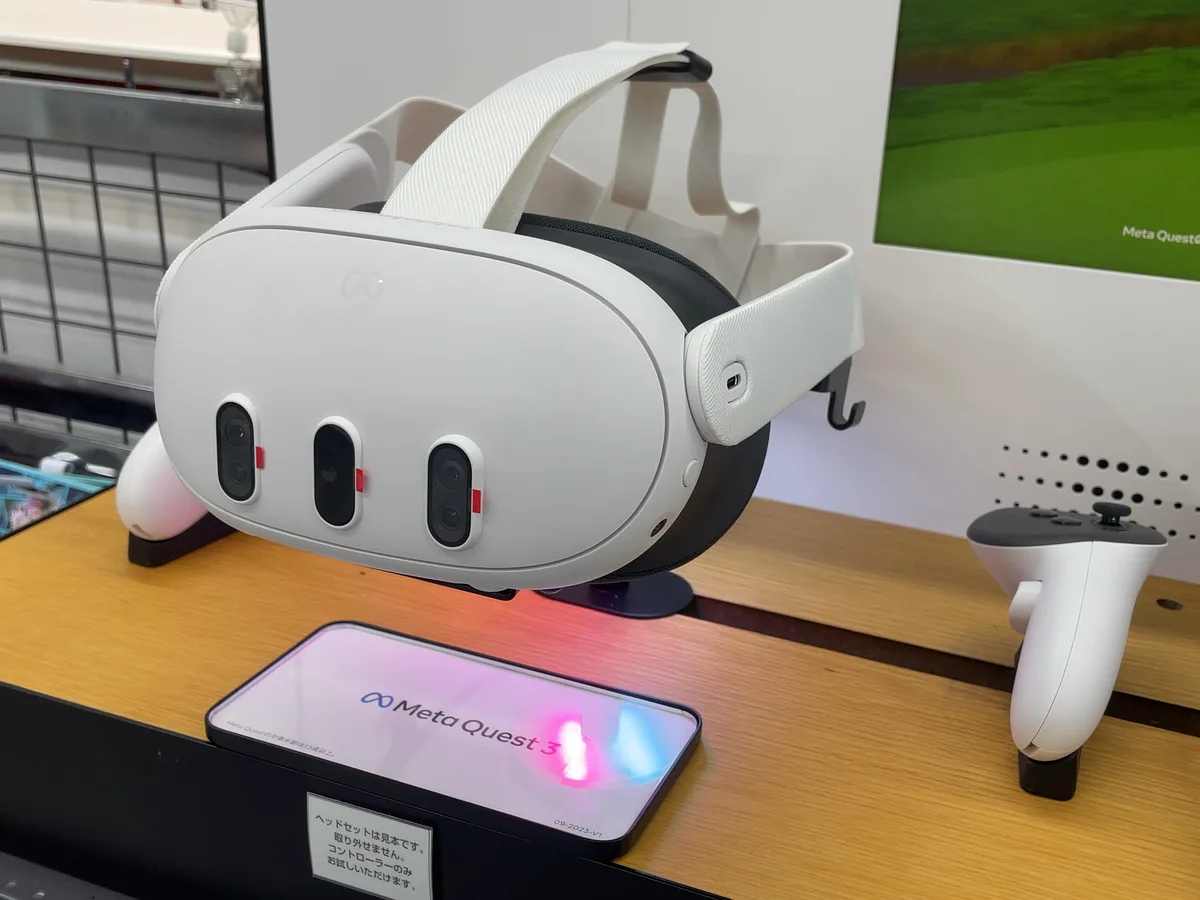
The Quest 3: 150,000 splats in a native app according to Meta, about a million in the browser according to Spark.
Image: Kyu3a, CC BY-SA 4.0, via Wikimedia Commons (resized, converted to WebP).Maps and sites
For large sites, splats become map layers:
- Cesium streams them as 3D Tiles with levels of detail, in the browser and in Unreal; its demo covers a 110-million-splat campus.
- Esri displays them in ArcGIS Pro 3.6 and, since February, in its JavaScript SDK.
- Bentley produces them with iTwin Capture.
Google’s photorealistic 3D Tiles, however, are still meshes.
One master, many platforms
What connects these platforms is the file:
- PLY stays the universal master.
- SPZ, Niantic’s open-source format, is read almost everywhere.
- SOG is PlayCanvas’s format and .RAD Spark’s.
- The glTF extension, now ratified, and OpenUSD are becoming the exchange standards.
SplatTransform, free, converts between nearly all of them. So the choice of platform is less binding than it seems: the same capture can feed a web viewer, an app and a film, as long as the master is kept.
At ARGO
For most of our clients the right answer is the browser. A link or a QR code opens the experience with no app, on phones and computers, and the Quest browser handles VR. We favour open-source viewers that we can host on the client’s own domain, with the scene sized for phones and streamed when it gets big. We move to a native app, an engine or a map only when the project needs it: a Vision Pro experience, an interactive installation, a site the size of a district.
FAQ
Frequently asked questions
Sources and further reading
- Hosted platforms: PlayCanvas, SuperSplat · SuperSplat Studio · Publishing API · Teleport by Varjo · Scaniverse · StorySplat · 3DVista · Reflct · Gracia
- Web engines: PlayCanvas · PlayCanvas and WebGPU · Spark 2.0 · Babylon.js 9.0 · three.js splats · Needle Engine
- Engines and 3D software: UnityGaussianSplatting · Volinga, 4D splats · XScene · Godot add-on · Houdini 22 · Blender 5.3 · OpenUSD v26.03 · Omniverse particle fields
- Headsets and apps: Apple, GaussianSplatComponent · MetalSplatter · Meta, Spatial SDK splats · Snap, Lens Studio
- Maps: Cesium · Esri, GaussianSplatLayer · Google, 3D Tiles
- Market and formats: AMD, World Labs acquisition · Niantic Spatial, 8th Wall open source · Khronos, KHR_gaussian_splatting · Niantic, SPZ · PlayCanvas, SplatTransform
Platforms, versions and budgets checked on 30 September 2026.